
Number drawings.
Keep one rule.
Set your format. Preview the sequence. Apply it to selected Tekla drawings in one batch.
Lifetime license · One device · Offline after saved activation
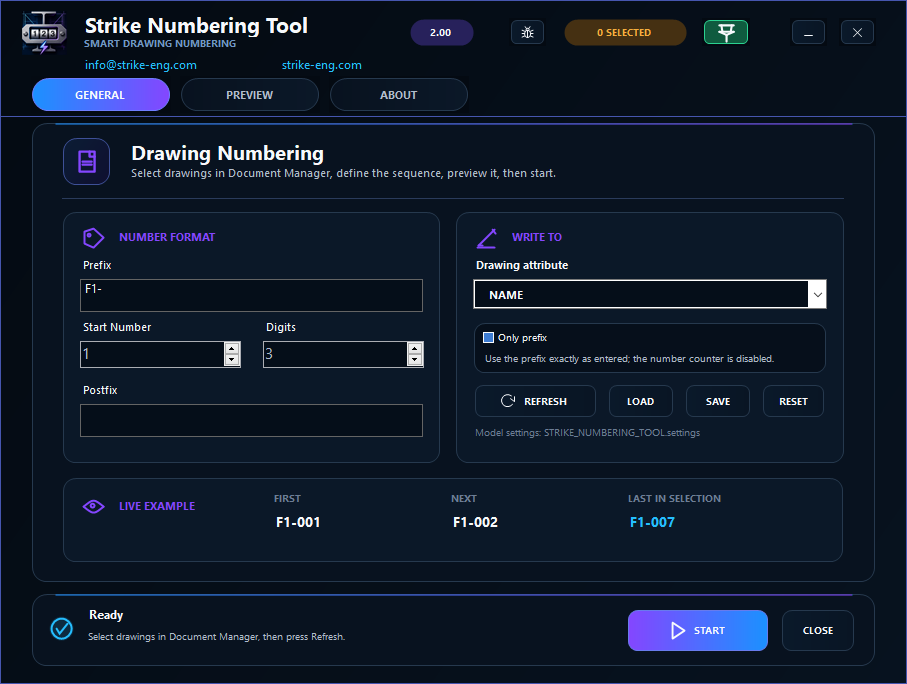
- Flexible format
- Prefix, counter, leading zeros and postfix.
- Choose the field
- Drawing Name, Title 1–3 or a drawing UDA.
- Reuse your setup
- Save settings for the next drawing package.
For specialist steel detailing teams.
Numbering Tool is built for companies with trained steel detailers and a recurring stream of drawing packages. It is not intended for clients without steel detailing experience.
Need steel detailing support? Contact STRIKE ↗Keep every sequence consistent under pressure.
When projects arrive back-to-back, save the setup, preview the next numbers and apply one controlled rule to the selected drawings. Always review the updated drawings before issue.
One batch. One consistent sequence.
Watch the manual workflow and the same task with Numbering Tool. Set the format, preview the sequence and apply it to the selected drawings.
Four steps.
One sequence.
From the STRIKE ribbon to your selected drawings. The key controls, in one view.
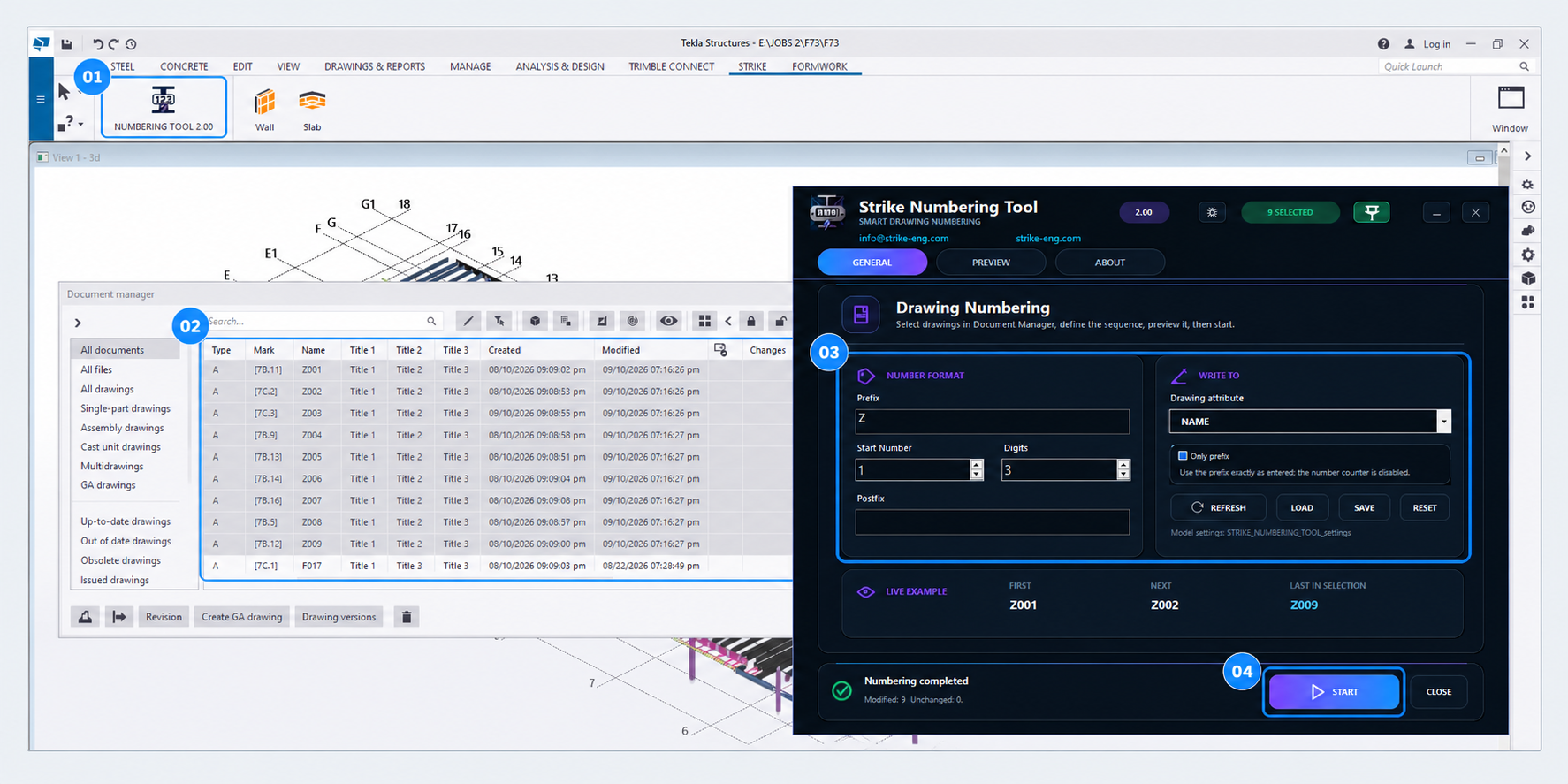
- 01
Launch
Open Numbering Tool from the STRIKE ribbon.
- 02
Select
Choose your drawings in Document Manager.
- 03
Set & preview
Set the format and destination. Check PREVIEW.
- 04
Apply
Press START, then review the updated drawings.
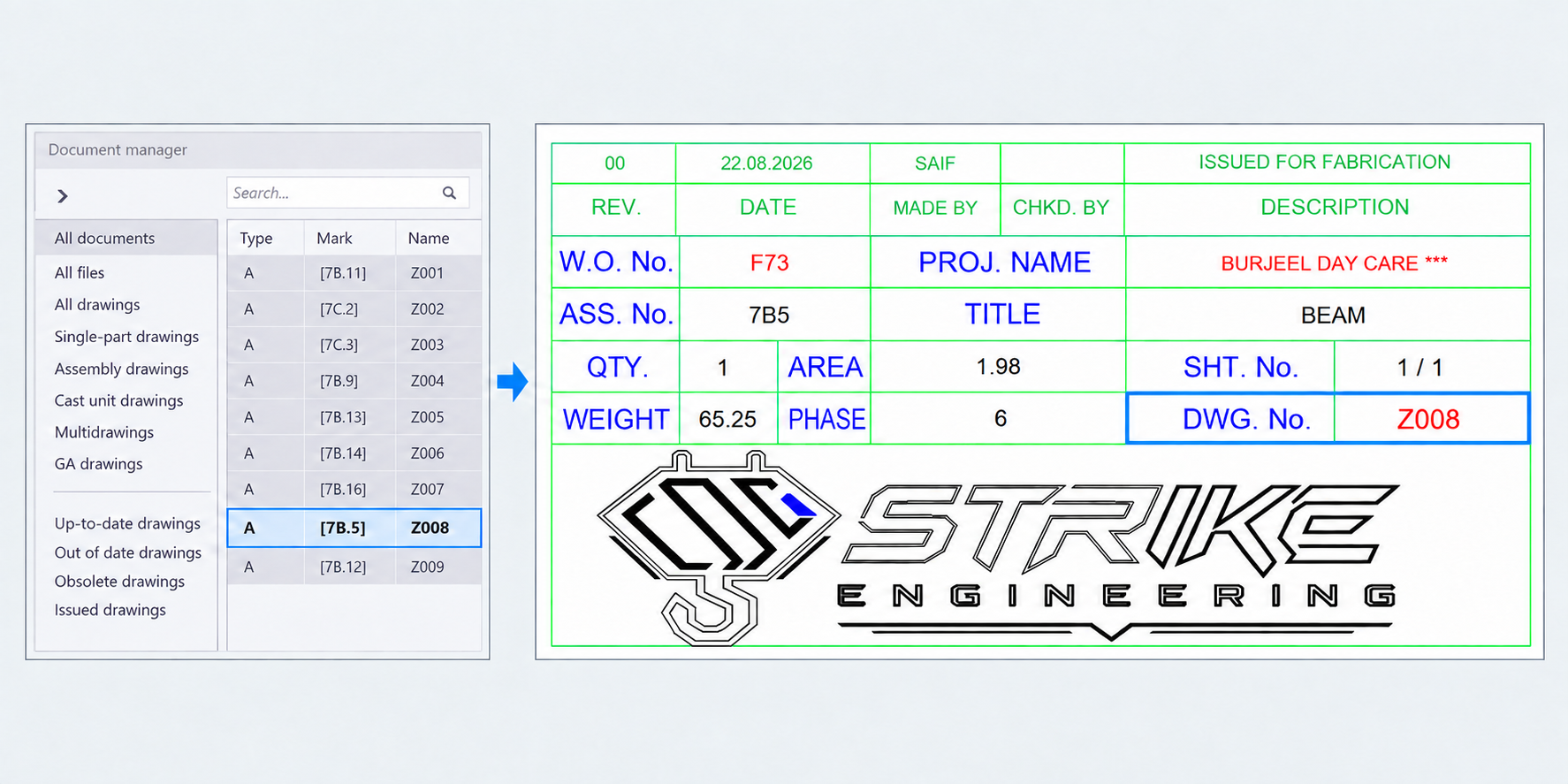
The number you set.
The drawing you issue.
This example uses a title block linked to the drawing Name.
Ready for your
next drawing package?
Windows installer. Lifetime license for one device.
A few useful details.
Need help with a result?
Send the steps and a screenshot.
Which Tekla versions can I use?
STRIKE Numbering Tool supports all Tekla Structures versions on Windows x64.
How do installation and activation work?
Close Tekla and run the installer. Your purchase email receives the activation code and setup instructions from info@strike-eng.com. Activate online and save the code on your device for offline use. Contact support before moving the license to another device.
What does the tool change?
Drawing names, titles or drawing UDAs. It does not renumber model parts. A drawing number appears in a title block when that template uses the field you updated.